Unreadable text in menus - square boxes

Still not quite there. But responding to the above post, disable the device and see if it helps. I seldom use the (in my case a different graphics driver) manufacturers Manager. Windiws 10 is pretty good at handling most - butI am not a big games player.
 
Try getting the latest drivers and updating them. (NVidia Geforce GTX 970M). :)


Hi,
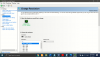
I already have it and I attached the screen shots.

2020-07-19 (14).png
 
NVidia Geforce GTX 970M
Hi,

judging by the "M" (M = mobile graphics) in the GPU name, I assume you have a laptop?, what is the make and model and what is the maximum resolution the screen supports?. :cool:
 
Hi,

judging by the "M" (M = mobile graphics) in the GPU name, I assume you have a laptop?, what is the make and model and what is the maximum resolution the screen supports?. :cool:

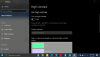
Hi, Is this the information you asked?
2020-07-19 (23).png
2020-07-19 (24).png
 
Hi,

is this your model?.


If it is, it supports a maximum resolution of 1920x1080 so the next question is, are you using an external monitor or TV and what resolution does that support?. :)
 
Hi,

is this your model?.


If it is, it supports a maximum resolution of 1920x1080 so the next question is, are you using an external monitor or TV and what resolution does that support?. :)
1920x1080 no I am not using TV.
 
According to the following pic, you are using high contrast mode, is that really the case?. (Post #13) :)

1595186798782.png
 
That is what I meant and I can see that you have high contrast switched off. I can only suggest you try changing themes and setting display to recommended.

I don't have any further suggestions apart from doing a full system reset!. :eek:
 
That is what I meant and I can see that you have high contrast switched off. I can only suggest you try changing themes and setting display to recommended.

I don't have any further suggestions apart from doing a full system reset!. :eek:
thank you. reset will i lose any information
 
Hi,

only do it as a last resort!. see the following link. BACK UP ALL YOUR DATA AND READ THE INSTRUCTIONS CAREFULLY!.


To re-install multiple apps all at once, use the following website, I use it myself from time to time.


Try my other suggestion about changing your display theme and settings first. :)
thanks
 
Hi,

only do it as a last resort!. see the following link. BACK UP ALL YOUR DATA AND READ THE INSTRUCTIONS CAREFULLY!.


To re-install multiple apps all at once, use the following website, I use it myself from time to time.


Try my other suggestion about changing your display theme and settings first. :)
I will rest I am fed up
 
Keep us posted as to what you decide to do and if whether or not resetting the display helps or not please. :)
 
Back
Top