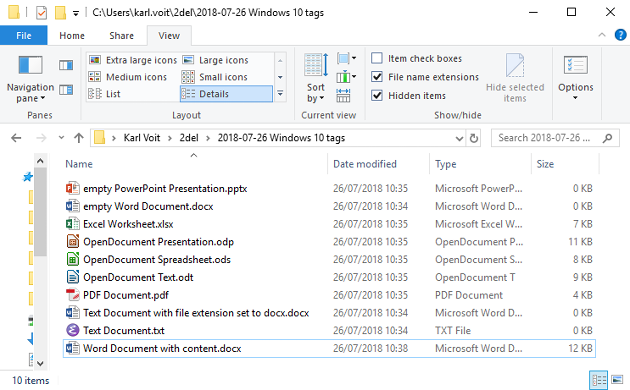
Hi! I've been searching for a solution to enlarge the details view in file explorer in windows for years, there must be a solution, do you know any solution to simply make the text and icons in details view larger/bigger?
It may all depend upon your display/monitor size, Resolution and making adjustments such as 125% or 150%, etc. Since we left the CRT monitors and got into the widescreen models getting the right view has been problematic for folks.
Settings > Ease of Access > Display and either "Make text bigger" or "Make everything bigger".
Open File Explorer > View > Select Large Icons". The drawback there is that you must click on each group and set it accordingly, I cannot find a global setting for large icons.
If my suggestion in my previous post is not a good solution, there could, of course, be a third party explorer out there that could do it.
Little Later.
Just whistled through and installed the most popular alternatives. None have what you seek.
I, and other people on the web too, have been trying to make the text and icons and everything in the part of the window that display the files in details view BIGGER LARGER. Can this be achieved? (please refrain from suggesting unrelated stuff)
Right-click the Desktop, Display Settings, scroll to find Scale and Layout, set as large as the display can handle, varies between different machines and video/graphics adapters/cards, strictly up to the user. The Notebook I'm on now likes 125% but can do 150%.

Want to reply to this thread or ask your own question?
You'll need to choose a username for the site, which only take a couple of moments. After that, you can post your question and our members will help you out.